From the box to your first tap.
Activate your card, make your profile yours, and share it when you meet. You can do it all in your browser.
Start with your package.
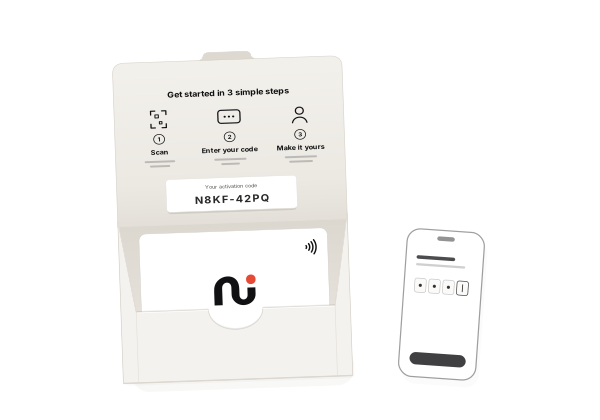
- Your Neffi card
- The physical card you’ll tap to share your profile.
- The activation insert
- Its QR takes you to activation. The same QR is used across packages.
- Your private activation code
- The unique code inside the sealed package connects this card to your account.
The package QR is for setup. Use the separate Sharing QR from your card’s page when you want to share your profile.
First, make the card yours.
Open activation.
Scan the activation QR on your package insert, or go to the activation page. The QR opens the page; it does not identify your card.
Enter your activation code.
Type the private code printed inside your package. Keep it to yourself. You do not need to tap the card to activate it.
Sign in, then add your card.
Use Google or an email sign-in code. Check the account shown, then choose “Add to my account”. You can now continue to profile setup.
Add the things you want to share.
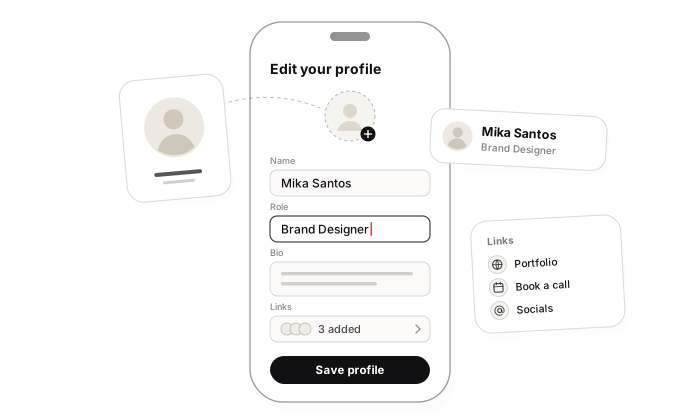
In your account, find your card under Ready to set up. Choose a goal: Networking / Professional, Freelance / Creative, Business / Sales, or Student / Job Seeking. Not sure yet is fine too. Your goal suggests a starting layout; you can choose any layout and content, and change them later.
Add your name and the essentials: a short introduction, contact details, and a useful link. Preview your profile, then publish it so people can open it.
You can add more links, socials, and work from your profile editor later. Start with what someone needs after meeting you.
Ready for the next introduction.
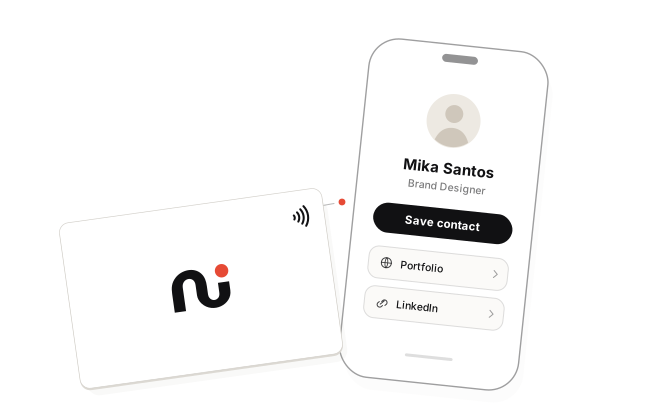
To tap: hold your card near the phone’s NFC reading area. Its location varies by phone. Open the link notification to view your profile in the browser.
To scan: open your card’s page in your Neffi account and show its Sharing QR. The other person can scan it with their camera. You can also download that QR as an SVG.
The recipient doesn’t need a Neffi account or a separate app. Your profile needs to be published and the card turned on.
New details.
Same card.
Changed your number? Finished a project? Edit your profile in your account. Your card keeps its link and opens the current published profile, so a content update doesn’t need a new physical card.
Explore what your profile can doA little reassurance.
Does anyone need an app?
No separate Neffi app is needed. You set up your card in the browser, and the recipient opens your profile in theirs.
What if I scan the package QR again?
It opens activation again. It doesn’t change the card you already claimed. Sign in to find your card and resume setup without entering its code again.
Can I change my details later?
Yes. Edit your profile from your account. Your card’s link stays the same when you update your content.
Can I share without NFC?
Yes. Show the Sharing QR from your card’s page. It opens the same profile as a tap. The package QR is for activation, not sharing.
My activation code isn’t working. What next?
If you already claimed the card, sign in to find it. Otherwise, contact support for help. Don’t send your activation code in a public message.